
How to Maintain and Care for Your Smart TV: Tips to Extend Its Lifespan
Time: 2024-06-05 10:16:30
Click:
Maintain your smart TV for longevity by regularly cleaning the screen and body, updating software, avoiding static images, moderating brightness, ensuring proper ventilation, shutting down properly, and checking cables. These steps ensure optimal performance and protect your investment.
Smart TVs have become a central hub for home entertainment, offering a plethora of streaming services, apps, and advanced features that enhance the viewing experience. However, to ensure that your smart TV continues to perform at its best and lasts for many years, regular maintenance and care are essential. Here are some practical tips to help you maintain your smart TV and extend its lifespan.
1. Regular Cleaning
Screen Cleaning
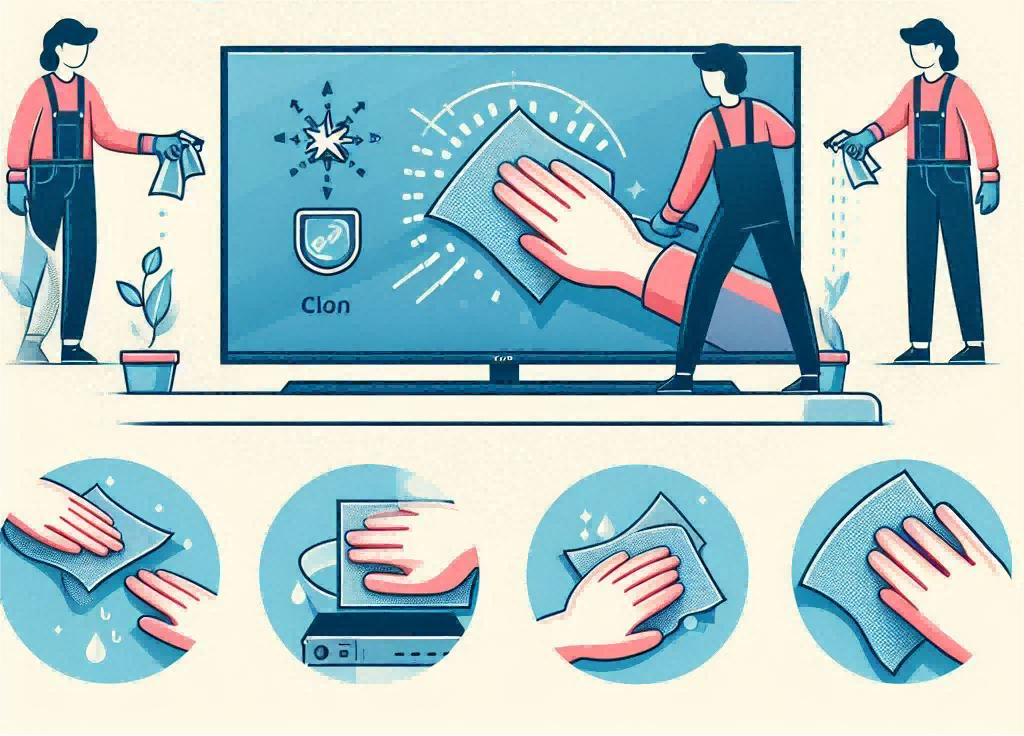
Keeping your TV screen clean is crucial for optimal viewing quality. Use a suitable screen cleaner and a soft cloth to avoid scratches and damage. Avoid using cleaners that contain alcohol or chemicals, as they can harm the screen.
Steps: Turn off your TV and let it cool down. Gently wipe the screen with the soft cloth, ensuring you don’t press too hard.
Body Cleaning
Dust and dirt can accumulate on the TV body and remote control, potentially affecting performance.
Steps: Use a dry or slightly damp cloth to wipe down the TV body and remote control. Be careful not to let any liquid seep into the TV’s internal components.
2. Software Updates
Firmware Updates
Manufacturers periodically release firmware updates to improve performance, add new features, and fix bugs. Keeping your TV’s firmware up to date is vital.
Steps: Go to the settings menu, locate the software update section, and follow the prompts to check for and install updates.
App Updates
Ensure all the apps on your smart TV are updated to their latest versions to enjoy the best performance and security.
Steps: Open the app store on your TV and check for updates. Install any available updates to keep your apps running smoothly.

3. Avoid Prolonged Static Images
Static Images and Burn-In
Static images, such as paused video or game menus, can cause burn-in, a permanent discoloration of the screen.
Prevention Methods: Enable screen savers or auto-off features to prevent static images from being displayed for extended periods. Avoid displaying high-contrast static content for long durations.
4. Adjust Brightness and Contrast
Optimal TV Settings
Excessively high brightness and contrast settings can accelerate screen wear and tear.
Recommended Settings: Adjust your TV to moderate brightness and contrast levels. Many smart TVs have presets like “Movie” or “Standard” that are optimized for typical viewing conditions.
5. Ensure Proper Ventilation
Overheating Issues
Overheating can lead to performance issues and hardware damage.
Placement Tips: Place your TV in a well-ventilated area, avoiding confined spaces or areas where the vents are blocked. Ensure there is enough space around the TV for air to circulate.
6. Proper Shutdown and Reboot
Correct Shutdown Methods
Leaving your TV in standby mode for extended periods can affect its longevity.
Recommendations: Turn off your TV completely when not in use for long periods. Regularly reboot your TV to refresh its system and clear any temporary issues.
7. Regularly Check Cables and External Devices
Cable Inspection
Worn or loose cables can cause connectivity problems and potential damage.
Inspection Tips: Regularly check power cords, HDMI cables, and other connections for signs of wear or looseness. Replace any damaged cables promptly.
External Device Maintenance
Devices connected to your TV, like game consoles or sound systems, should also be well-maintained.
Care Tips: Ensure these devices are kept in good condition to prevent them from affecting your TV’s performance.

Experience Unmatched Stability with JOKBEN Smart TVs
Enjoy seamless entertainment with our smart TVs, engineered for superior performance and reliability. Plus, with our 1-year warranty, you can watch with peace of mind. If any issue arises within this period, we offer a free replacement to ensure your viewing experience remains uninterrupted.
Maintaining and caring for your smart TV is crucial for ensuring it delivers top-notch performance and lasts for many years. By following these simple tips, you can protect your investment and continue to enjoy high-quality entertainment. Regular cleaning, software updates, proper settings, and utilizing warranty services are key steps to keeping your smart TV in excellent condition. Take these measures seriously and enjoy a long-lasting, enjoyable viewing experience.


 E-mail:sales@jokbentv.com
 Telephone:+86 18559895619
 Working Hours: 8:30am-17:30pm (UTC+8)
